
How to Reduce IPTV Bandwidth Usage Without Sacrificing Streaming Quality

Streaming IPTV brings a world of entertainment into your home, replacing traditional cable and satellite services with flexible, internet-based content delivery. However, IPTV also places demands on your home network. Without proper optimization, streaming can lead to buffering, lag, and reduced performance for other connected devices.
At the center of IPTV performance is bandwidth—the amount of data your internet connection can transfer at any given time. Managing bandwidth efficiently helps ensure smooth playback while keeping the rest of your household connected.
Understanding Bandwidth and IPTV Streaming
Every IPTV stream continuously transfers video and audio data in real time. The higher the video quality, the more bandwidth is required.
Typical bandwidth requirements include:
- SD (Standard Definition): 2–5 Mbps
- HD (720p/1080p): 5–10 Mbps
- Full HD (1080p): 8–15 Mbps
- 4K Ultra HD: 20–25 Mbps or more
While modern internet connections can often support these speeds, multiple devices streaming, gaming, downloading, or video conferencing at the same time can quickly consume available capacity.
Use Adaptive Streaming Technologies
Most modern IPTV platforms use adaptive bitrate streaming. This technology automatically adjusts video quality based on available network conditions.
Benefits include:
- Reduced buffering during temporary network congestion
- More stable playback
- Efficient bandwidth utilization
- Improved viewing experience on varying connections
Adaptive streaming helps maintain uninterrupted viewing even when bandwidth fluctuates throughout the day.
Choose the Right Streaming Resolution
One of the simplest ways to reduce bandwidth consumption is to avoid unnecessarily high resolutions.
For example:
- A 55-inch TV viewed from several meters away may show little visible difference between Full HD and 4K content.
- Smaller televisions often look excellent with standard HD streaming.
Selecting an appropriate resolution can dramatically reduce network load while maintaining excellent image quality.
Related products
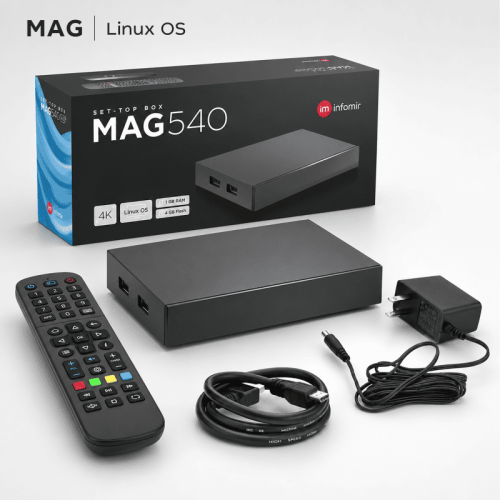
Use Efficient IPTV Hardware
The streaming device itself can influence bandwidth efficiency.
Quality IPTV set-top boxes and media players often include:
- Modern video decoding hardware
- Support for advanced video codecs
- Optimized streaming software
- Improved memory and processing performance
These features allow devices to deliver high-quality video while using network resources more efficiently.
Keeping device firmware updated ensures you benefit from performance improvements and bug fixes.
Optimize Your Home Network
A well-configured network improves IPTV performance without requiring additional bandwidth.
Improve Wi-Fi Coverage
- Place the router in a central location
- Keep it away from walls, appliances, and metal objects
- Use the 5 GHz band when available
Use Ethernet Connections
Whenever possible, connect IPTV devices directly via Ethernet cable. Wired connections provide:
- Lower latency
- More consistent throughput
- Less interference
- Greater reliability for 4K streaming
Prioritize IPTV Traffic with QoS
Many modern routers include Quality of Service (QoS) settings that allow you to prioritize streaming traffic.
QoS can help:
- Reduce buffering during heavy network usage
- Maintain stable video quality
- Ensure IPTV traffic receives priority over downloads and background tasks
This feature is especially useful in households with multiple connected devices.
Monitor Network Usage
Many routers provide tools that display real-time bandwidth consumption and device activity.
Monitoring your network helps you:
- Identify devices consuming excessive bandwidth
- Spot peak usage periods
- Schedule large downloads outside viewing hours
- Optimize household internet usage patterns
These insights make it easier to prevent network congestion before it impacts streaming quality.
Choose an Internet Plan That Fits Your Needs
The right internet package depends on how many people use the network and what type of content they stream.
Consider upgrading your plan if:
- Multiple users regularly stream 4K content
- Several devices are active simultaneously
- Video conferencing and gaming occur alongside IPTV viewing
However, many households can achieve excellent IPTV performance through optimization alone without increasing internet speed.
Quick Tips to Reduce IPTV Bandwidth Usage
- ✔ Use HD instead of 4K when appropriate
- ✔ Enable adaptive bitrate streaming
- ✔ Keep IPTV device software updated
- ✔ Connect devices via Ethernet whenever possible
- ✔ Configure QoS on your router
- ✔ Monitor network traffic regularly
- ✔ Avoid large downloads during peak viewing times
Conclusion
Reducing IPTV bandwidth usage isn't about sacrificing viewing quality—it's about using available resources more efficiently. Smart resolution choices, reliable hardware, proper network configuration, and effective traffic management can significantly improve streaming performance.
By optimizing your IPTV setup, you can enjoy smooth, uninterrupted viewing while ensuring the rest of your household continues to enjoy a responsive internet connection.